
SAP is one of the most widely used enterprise software solutions that helps businesses manage their daily operations efficiently. From finance and human resources to sales, inventory, and supply chain management, SAP provides tools that help organizations connect different departments and manage business data in one integrated system.
If you are a student, job seeker, or business professional, understanding SAP can help you explore career opportunities and learn how modern businesses operate. In this guide, we will explain what SAP is, how it works, its major modules, and the benefits of using SAP software.
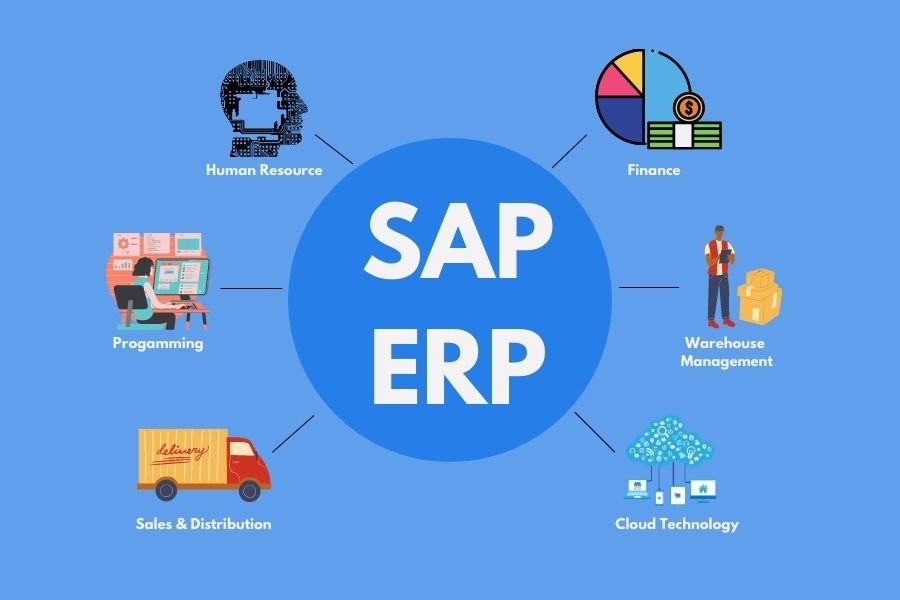
What Is SAP?
SAP stands for Systems, Applications, and Products in Data Processing. It is a software company known for developing enterprise resource planning (ERP) solutions that help businesses manage their operations.
SAP software connects different business functions within an organization, allowing departments to share information and work with consistent data. For example, when a company receives a customer order, SAP can help coordinate sales, inventory, shipping, and financial records.
Businesses across industries, including manufacturing, retail, healthcare, and logistics, use SAP solutions to improve efficiency and support better decision-making.
What Is SAP ERP?
SAP ERP is an enterprise resource planning system that integrates essential business processes into a connected platform. Instead of maintaining separate systems for accounting, purchasing, inventory, and sales, organizations can use an ERP system to coordinate these activities.
SAP S/4HANA is SAP’s modern ERP product designed to support real-time data processing and integrated business operations. It uses the SAP HANA in-memory database and is available in different deployment options, including cloud-based offerings.
How Does SAP Work?
SAP works by connecting business departments through shared data and integrated processes. Each department uses relevant SAP applications or modules, while authorized users can access the information they need.
For example, when a customer places an order, the sales department records the transaction. The system can then support inventory checks, delivery planning, billing, and accounting entries through connected business processes.
This integration reduces duplicate data entry, improves information accuracy, and helps employees monitor business activities more effectively.
What Are the Main SAP Modules?
SAP offers different modules and solutions for specific business functions. Some commonly known SAP modules include:
1. SAP FI (Financial Accounting)
SAP FI supports financial accounting activities such as general ledger accounting, accounts payable, accounts receivable, and financial reporting.
2. SAP MM (Materials Management)
SAP MM helps businesses manage purchasing, procurement, and material-related processes. It is useful for organizations that need to track supplies and inventory.
3. SAP SD (Sales and Distribution)
SAP SD supports sales orders, pricing, delivery processing, and billing. It helps businesses manage customer orders from the initial transaction through fulfillment.
4. SAP HCM (Human Capital Management)
SAP HCM supports human resource activities such as employee administration, organizational management, and payroll-related processes. SAP also offers newer cloud-based HR solutions under its SuccessFactors portfolio.
5. SAP PP (Production Planning)
SAP PP helps manufacturers plan and manage production activities, including production orders, material requirements, and capacity planning.
6. SAP ABAP
ABAP is a programming language used to develop and extend applications in SAP environments. Professionals working with ABAP may customize reports, business logic, interfaces, and other application components.
What Are the Benefits of SAP Software?
SAP provides several benefits to organizations that need to manage complex business operations.
- Integrated business processes: Connects departments and reduces information silos.
- Improved data accuracy: Shared data can reduce duplicate entries and inconsistencies.
- Better reporting: Provides business information that supports analysis and decision-making.
- Greater operational efficiency: Helps automate and standardize routine processes.
- Scalability: Supports business growth through suitable applications and deployment options.
Improved visibility: Helps authorized employees monitor orders, inventory, finances, and other activities.
The actual benefits depend on the SAP solution selected, implementation quality, and how effectively employees use the system.
How Can Beginners Start Learning SAP?
If you want to build a career in SAP, begin by understanding basic business processes and identifying the area that interests you most.
For example, students interested in accounting may explore SAP Finance, while those interested in procurement and inventory may consider SAP Materials Management. People with programming interests can explore ABAP development.
You can start with SAP’s official learning resources, introductory courses, and hands-on exercises. Learning the fundamentals of ERP systems and practicing real-world business scenarios can help you prepare for entry-level opportunities.
Conclusion
SAP is a powerful enterprise software ecosystem that helps businesses integrate finance, sales, purchasing, human resources, manufacturing, and other operations. Its connected applications allow organizations to manage data more efficiently and coordinate business processes across departments.
Whether you want to understand ERP software or start a career in SAP, learning its modules, functionality, and practical applications is a useful first step. Choose a module that matches your interests, develop your foundational knowledge, and gain practical experience to build your SAP skills.